
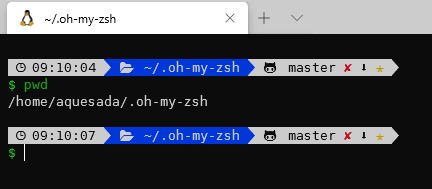
ZSH, short for Z shell, is a powerful command-line interpreter for Unix-like operating systems such as Linux and BSD. It is compatible with many Bash workflows, but adds better completion, smarter globbing, spelling correction, themes and a more flexible configuration experience.
This guide explains how to install ZSH, make it your default shell and improve the terminal experience with Oh My Zsh.
Why use ZSH?
ZSH is useful for administrators, developers and power users who spend a lot of time in the terminal. Its strongest advantages are interactive completion, plugin support, command history improvements and visual prompts that make context easier to understand.
Install ZSH on Linux
On Red Hat, CentOS, Fedora or compatible distributions, install it with:
sudo yum install zshOn Debian, Ubuntu or compatible distributions, use:
sudo apt-get update
sudo apt-get install zsh
Change the default shell
After installing ZSH, change the default shell for your user:
chsh <username>
New shell [/bin/bash]: /bin/zsh
Log out and log back in so the session starts with ZSH.
Install Oh My Zsh
Oh My Zsh is a community framework that makes ZSH easier to customize with themes and plugins.
curl -L http://install.ohmyz.sh | shReload the configuration after changing your theme or plugins:
source ~/.zshrcRecommended next steps
Start with a simple theme, enable only the plugins you really use and keep the configuration readable. A fast shell is usually better than an overloaded one.