
The message “Briefly unavailable for scheduled maintenance. Check back in a minute.” appears when WordPress enters maintenance mode during an update. If the update is interrupted, the site can remain stuck.
Why it happens
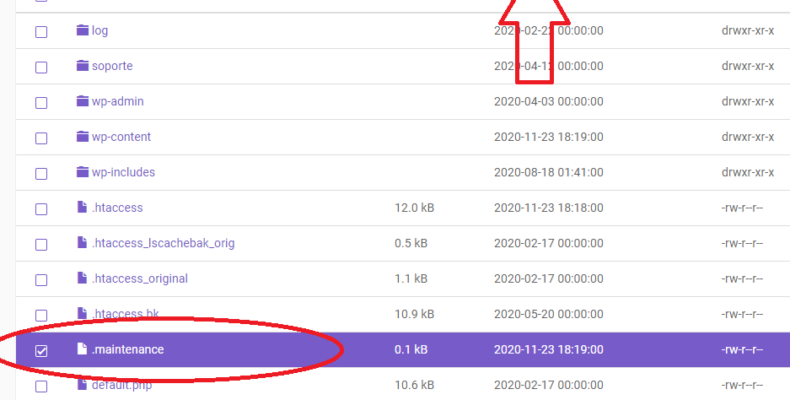
During updates, WordPress creates a temporary .maintenance file. Normally it is removed automatically. If the process fails, the file remains and visitors see the maintenance message.
Quick fix
Connect by SFTP or the hosting file manager, go to the WordPress root directory and remove the .maintenance file.
After removing the file
Check the dashboard, plugins and themes. If an update failed halfway, complete it manually and clear cache.
Prevention
Update during low-traffic hours, keep backups, avoid closing the browser during updates and make sure the server has enough disk space.